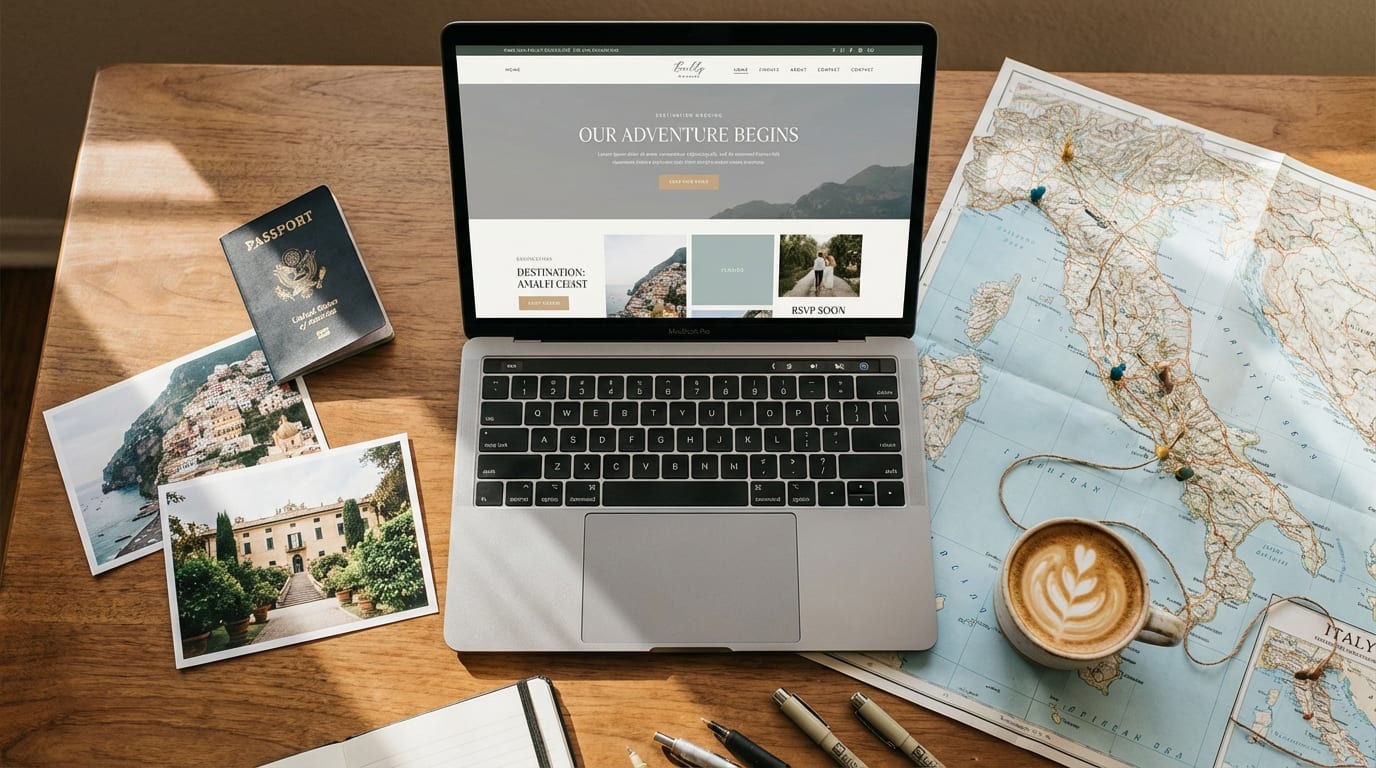
Your guests are scattered across time zones. They need to book flights, figure out passport renewals, and decide whether to tack on a vacation. A destination wedding website is the single most important communication tool you’ll build during your planning process, and it does far more than display your engagement photos. It becomes a travel hub, an FAQ page, a booking portal, and a real-time update center for every person you’ve invited.
The Knot’s 2024 Real Weddings Study found that 85% of marrying couples created a wedding website. For destination weddings, where 100% of your guest list is traveling, that number should be even higher. Let’s walk through exactly what yours needs, which builder to pick, and how to tailor it to your specific destination.
What Is a Destination Wedding Website (and Why Is It Non-Negotiable)?
A destination wedding website is a centralized online hub where your guests find everything they need to attend your wedding in a location that requires travel. Think of it as a travel guide built around your celebration.
Here’s why you can’t skip it. Destination weddings now average 60 to 70 guests, with group sizes growing steadily over the past several years, as Paradise Weddings notes. That’s a lot of people who need coordinated flights, hotel bookings, and ground transportation. When you’re planning a destination wedding, a website replaces the dozens of individual text threads and email chains that would otherwise consume your evenings.
The attendance payoff is real, too. Couples who share clear travel details see attendance rates of 70 to 80%, as Destination I Do notes. Without that clarity? No-show rates climb by 15 to 20%.
What Makes a Destination Wedding Website Different From a Regular Wedding Site?
A destination wedding website functions as a travel planning portal, not just an event announcement page.
A local wedding site needs a date, a venue address, and maybe a registry link. Your destination site needs all of that plus airport codes, shuttle schedules, visa reminders, currency tips, weather forecasts, and a multi-day itinerary. Effective destination sites limit navigation to about five key sections, travel info, events, RSVP, FAQs, and contact, as DWD Travel notes. That structure keeps guests from feeling overwhelmed while still covering the logistics they actually need.
Mobile optimization matters more here, too. Over 70% of guests check destination wedding sites on their phones, often while researching flights or standing in an airport. Non-responsive sites lead to significant booking drop-offs, as DWD Travel notes, because guests give up trying to pinch-zoom their way to your hotel block link.
One more thing: your website doesn’t replace your printed invitation. Use both. The invitation sets the tone and formality. The website handles everything that changes, updates, or requires a clickable link.
What Should You Include on Your Destination Wedding Website?
Every destination wedding website needs travel logistics front and center, followed by accommodations, a multi-day schedule, local tips, and an FAQ section.
Here’s your content checklist, organized by priority:
Travel essentials (top of the site)
- Nearest airport with the three-letter code (e.g., CUN for Cancun, DPS for Bali)
- Recommended airlines and any direct flight routes from major hubs
- Ground transportation from the airport: resort shuttles, taxi costs, ride-share availability
- Passport validity requirements (most countries require six months beyond your travel date)
- Visa or entry permit info, with a note to confirm current requirements with the relevant embassy
Accommodations
- Room block details with booking links and discount codes
- Block cutoff deadline (typically 60 to 90 days before the event)
- Alternative hotel options at different price points
- Notes on what’s included (breakfast, Wi-Fi, airport transfers)
Event schedule
- Welcome dinner, ceremony, reception, and any post-wedding brunches
- Exact times, addresses, dress codes, and meet-up points for each event
- Transportation between venues if applicable
Local tips
- Currency and tipping customs
- Weather expectations for your wedding month
- Packing suggestions (think “leave the stilettos at home if we’re on grass”)
- Restaurant and activity recommendations for guests extending their trip
Zola’s expert advice finds that sites with dedicated FAQ and travel sections cut repeated guest questions by up to 70%. That alone is worth the hour it takes to write a good FAQ page.
Which Website Builder Is Best for a Destination Wedding?
Zola, WithJoy, and Appy Couple lead the pack for destination-specific features, though The Knot and Minted are strong runners-up.
Each platform has different strengths. Here’s how they compare for the features that matter most when your guests are flying internationally:
| Feature | Zola | WithJoy | Appy Couple | The Knot | Minted |
|---|---|---|---|---|---|
| Free tier | Yes | Yes | No (paid only) | Yes | Yes |
| Templates | 300+ | 100+ | 200+ | 800+ | 1,000+ |
| Travel info page | Yes | Yes | Yes | Yes | Limited |
| RSVP tracking | Yes | Yes | Yes | Yes | Yes |
| Mobile app for guests | No | No | Yes (iOS + Android) | No | No |
| Custom domain cost | ~$20/yr | Small fee | Included in plan | ~$19/yr | ~$15/yr |
| Registry integration | Built-in | Built-in | Built-in | Built-in | Link only |
Destination Wedding Details highlights that Appy Couple stands out because guests can download a free custom app that syncs all website information, which is especially useful for real-time updates during multi-day celebrations. As Zola notes, their platform offers 300+ customizable templates with free RSVP tracking and seven-day-a-week customer support.
One honest caveat about Zola: as Junebug Weddings notes, some text fields can’t be fully edited, and the free tier includes a persistent Zola footer. If full design control matters to you, WithJoy or a paid Appy Couple plan might be a better fit.
Costs vary significantly based on the plan you choose and any add-ons. The free tiers cover most couples’ needs.
How Do You Handle Guest Logistics Across Different Destinations?
Start by giving guests at least six months’ notice, then build your website around the specific travel barriers your destination presents.
As Kyla Jeanette notes, 70% of guests need a minimum of six months to commit and arrange travel for a destination wedding. That means your website should go live well before formal invitations go out.
The biggest logistics challenge scales with guest count. Medium-sized weddings of 50 to 100 guests hold 45% of the destination wedding market share, per Fact.MR, because they hit the sweet spot between “intimate enough to coordinate” and “large enough to negotiate group rates.”
Here’s what works:
- Room blocks: Negotiate a group rate and post the booking link with a clear deadline. Reserved hotel blocks with discount codes see 40% higher booking rates when linked prominently on the website, as Carats & Cake notes.
- Group transportation: For 10 or more guests, arrange airport shuttles or shared transfers and list pickup times on your site.
- Guest-facing contact: Include a phone number or email for your local wedding planner or travel coordinator so guests have someone to reach besides you.
If you’re still weighing destination wedding costs, remember that room blocks and group transport rates often bring per-person costs down significantly.
Destination-by-Destination: What Your Website Needs to Cover
Different destinations create different questions, and your website should answer the ones specific to where you’re getting married.
Over 60% of guests research flights and hotels through the wedding website first, as Riley & Grey notes. That means your travel page needs to be tailored, not generic. Here’s what to highlight for popular BeachBride destinations:
Cancun and Riviera Maya: Airport code CUN. Most resorts are 20 to 60 minutes from the airport. Note that the Mexican peso is the local currency but USD is widely accepted at resorts. Hurricane season runs June through November. Consult your Cancun wedding planner or the U.S. embassy to confirm current entry requirements.
Jamaica: Airport codes MBJ (Montego Bay) or KIN (Kingston). Resort transfers can run 60 to 90 minutes depending on location. Tipping in USD is standard. Note hurricane season and any travel advisories. Jamaica wedding venues often include transfer coordination.
Hawaii: No passport needed for U.S. guests, which simplifies things enormously. Airport codes HNL (Oahu), OGG (Maui), LIH (Kauai), KOA (Big Island). Inter-island flights are short but add cost. Include a note about lei greetings and local customs. A Hawaii wedding planner can help coordinate multi-island logistics.
Bali: Airport code DPS. Visa-on-arrival is available for many nationalities but requirements shift frequently. Include time zone info (Bali is GMT+8, which catches many Western guests off guard). Rainy season runs roughly November through March. A Bali wedding planner is essential for vendor coordination.
Santorini: Airport code JTR, but many guests fly into Athens (ATH) and take a ferry or short domestic flight. Ferry schedules change seasonally, so link to a booking site. Note that Santorini weddings during July and August mean peak crowds and prices.
Punta Cana: Airport code PUJ. Most all-inclusive resorts include airport transfers. Dominican pesos are the local currency, but resorts operate in USD. Include a note about the local tipping culture.
Costa Rica and Tulum: Both require extra ground transportation planning. Tulum is about two hours from CUN airport. Costa Rica’s SJO airport may be hours from Pacific coast venues. Spell out the drive times clearly so guests aren’t surprised.
As Destination I Do reports, 70% of destination wedding guests extend their trip into a full vacation. Add a “Things to Do” section with your favorite local spots. Your guests will thank you.
Real Numbers: Timelines, Guest Counts & What to Publish When
Send save-the-dates 9 to 12 months out, launch your website at the same time, and set RSVP deadlines 5 to 8 weeks before the wedding.
Here’s a timeline you can adapt to your own planning. Use it alongside our beach wedding checklist for a fuller picture.
| Timeline | Action | What to Publish on Your Website |
|---|---|---|
| 12 to 14 months out | Send save-the-dates, open room block | Basic site with date, location, room block link |
| 9 to 10 months out | Website fully built | Travel info, accommodations, FAQ |
| 6 months out | Send formal invitations | Full event schedule, RSVP form goes live |
| 5 to 8 weeks out | RSVP deadline | Final updates, shuttle times, packing tips |
| 2 to 4 weeks out | Final headcount to vendors | Last-minute weather or schedule changes |
WithJoy recommends sending save-the-dates 9 to 12 months before the wedding, with formal invitations following at the 3 to 6 month mark. That’s significantly earlier than local weddings, where 8 to 12 weeks is standard.
For guest count planning, Barefoot Bridal recommends using the 50 to 75% rule: if you invite 100 people, expect 50 to 75 to attend. Post-pandemic enthusiasm has pushed attendance higher than the pre-2020 average of 25 to 50%, but it still runs lower than local weddings. Plan conservatively for vendor minimums and optimistically for room blocks.
How BeachBride Can Help You Plan Beyond the Website
Your website handles communication. We help with everything else.
At BeachBride, we connect couples with destination wedding planners who know the local landscape, from permit requirements (yes, many public beaches require them) to the best backup plans for tropical afternoon showers. Working with a local planner often saves money, as BeachBride’s destination wedding tips explain, because they have established vendor relationships and volume pricing that you can’t access on your own.
We also maintain detailed guides for the most popular destinations, from Santorini to Tulum to Jamaica. Each one covers venue options, local costs, seasonal considerations, and vendor recommendations so you’re never starting from scratch.
Not sure where to start? Our free quiz matches you with destinations and vendors based on your style, budget, and guest count. It takes about two minutes, and the results are genuinely personalized.
Take the BeachBride quiz and get matched with the destinations and vendors that fit your vision. Your guests are already excited. Let’s give them a website (and a wedding) worth traveling for.